10 website mistakes that are silently costing you clients (and how to fix them)
Your website might look fine to you — but these common mistakes are driving potential clients straight to your competitors.
Part of our Web Design & Development expertise
Learn more →Your website is live. It looks decent. You paid someone to build it — or maybe you built it yourself. Either way, you're pretty sure it's "fine."
But here's the uncomfortable truth: your website might be quietly pushing potential clients away, and you'd never know it. There's no alarm that goes off when someone lands on your homepage, gets confused, and clicks the back button. No notification when a prospect decides your competitor looks more professional.
The worst part? Most of these website mistakes are fixable. Often in a matter of days, not months.
We've audited hundreds of websites for businesses across industries, and the same patterns keep showing up. These aren't obscure technical issues — they're common web design mistakes that silently destroy conversion rates while business owners assume everything is working fine.
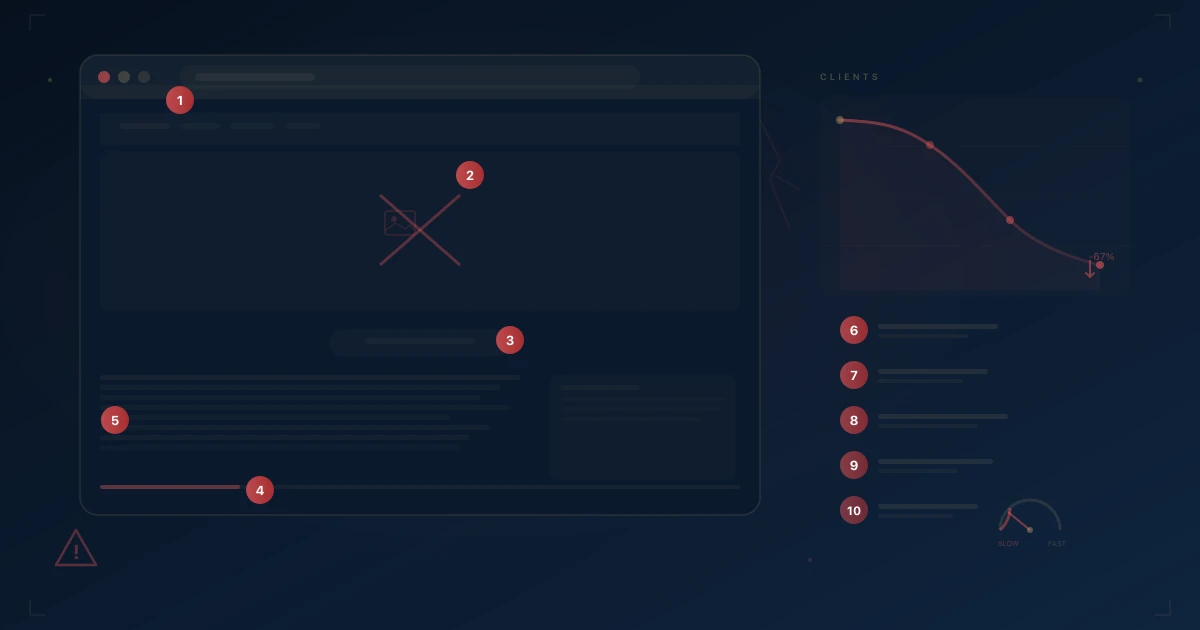
Here are the 10 most damaging ones, why they hurt, and exactly how to fix them.
1. Slow loading speed
If your website takes more than 3 seconds to load, over half your visitors are already gone.
This isn't speculation. Google's own research shows that 53% of mobile users abandon a site that takes longer than 3 seconds to load. Every additional second increases your bounce rate exponentially. And the visitors you're losing aren't random — they're people who were actively looking for what you offer.
Slow websites also get punished by search engines. Google has used page speed as a ranking factor for years, which means a sluggish site is a double hit: fewer people find you, and those who do leave before they see anything.
How to fix it
- Compress your images. This is the number one culprit. Use modern formats like WebP instead of PNG or uncompressed JPEG. Tools like Squoosh or ShortPixel can cut file sizes by 70-80% without visible quality loss.
- Minimize your code. Remove unused CSS and JavaScript. If you're running WordPress, audit your plugins — each one adds weight.
- Invest in quality hosting. Cheap shared hosting might save you $10/month, but it's costing you thousands in lost leads. A solid hosting provider with a CDN (content delivery network) can cut load times dramatically.
- Enable browser caching and lazy loading. Let returning visitors load faster, and only load images when they scroll into view.
Run your site through Google PageSpeed Insights right now. If your score is below 70, you have work to do. For a full picture of what a performance-optimized professional website delivers, read our ROI breakdown of professional web design in 2026.
2. No clear value proposition above the fold
Visitors give you about 5 seconds to answer one question: "What do you do, and why should I care?"
"Above the fold" means everything visible on screen before scrolling. If that space is occupied by a vague tagline like "Innovative solutions for a better tomorrow" or a giant slider with stock photos, you've already failed the test.
People don't read websites — they scan. And the first thing they scan is the top of the page. If they can't immediately understand what you offer and who it's for, they leave. This is one of the most expensive website mistakes because it affects literally every visitor.
How to fix it
- Write a headline that passes the 5-second test. Someone who knows nothing about your business should be able to read your headline and immediately understand what you do. "We design high-converting websites for SaaS companies" beats "Empowering digital excellence" every time. Our landing page before and after case study shows exactly how rewriting a hero section doubled conversions.
- Add a supporting subheadline. One or two sentences that expand on the headline, addressing your client's main pain point.
- Include a clear call-to-action. Don't make people hunt for the next step. A button that says "Get a free quote" or "See our work" right below your headline gives them a path forward.
- Ditch the sliders. They slow your page down, dilute your message, and studies consistently show they hurt conversion rates. Pick your single strongest message and commit to it.
3. Missing or weak calls-to-action
If you're not telling visitors exactly what to do next, they'll do nothing.
A surprising number of websites bury their contact information, use passive language like "Feel free to reach out," or — worse — have no clear call-to-action at all. Others go the opposite direction and throw 15 different CTAs on one page, creating decision paralysis.
Every page on your website should have a purpose, and every purpose should have a corresponding action.
How to fix it
- One primary CTA per page. Decide what the most important action is for each page and make that CTA prominent. Secondary actions can exist, but they shouldn't compete visually.
- Use action-oriented language. "Get your free audit" is stronger than "Contact us." "See pricing" is stronger than "Learn more." Be specific about what happens when they click.
- Repeat your CTA. On longer pages, place your call-to-action at the top, middle, and bottom. Not everyone scrolls the same way, and you want to catch them at their moment of decision.
- Make it visually obvious. Your CTA buttons should be a contrasting color that stands out from the rest of the page. If someone squints at your website, the buttons should be the first thing they notice.
4. Not mobile-responsive
More than 60% of web traffic now comes from mobile devices. If your site doesn't work perfectly on a phone, you're invisible to the majority of your audience.
"But it looks fine on my laptop" isn't good enough. Mobile responsiveness isn't just about things fitting on a smaller screen — it's about tap targets being large enough, text being readable without zooming, forms being easy to fill out with a thumb, and navigation being intuitive on touch devices.
Google also uses mobile-first indexing, meaning it primarily looks at the mobile version of your site for ranking. A bad mobile experience doesn't just lose visitors — it tanks your SEO.
How to fix it
- Test on actual devices. Don't just resize your browser window. Use your phone, a tablet, and ask friends with different devices to try your site.
- Prioritize thumb-friendly design. Buttons should be at least 44x44 pixels. Links shouldn't be crammed together. Forms should use appropriate input types (number keyboards for phone fields, etc.).
- Simplify your mobile navigation. A clean hamburger menu with clear categories works. A desktop mega-menu shrunk to mobile size doesn't.
- Check your font sizes. Body text below 16px is hard to read on mobile. Don't make people pinch-zoom.
5. Generic stock photos everywhere
Nothing says "we're not real" quite like a website full of suspiciously attractive people shaking hands in an office that clearly isn't yours.
Stock photography has its place, but when every image on your website screams "I downloaded this from Shutterstock," you're actively eroding trust. Visitors are savvy. They've seen the same "diverse team high-fiving" photo on 500 other websites. It makes you look generic, inauthentic, and interchangeable with your competitors.
How to fix it
- Invest in real photography. Even a half-day shoot with a professional photographer gives you a library of authentic images that immediately set you apart.
- Show your actual work. Case studies with real screenshots, before-and-afters, or project photos are infinitely more compelling than generic imagery.
- If you must use stock photos, choose carefully. Avoid the obviously staged corporate shots. Look for natural, editorial-style photography. Services like Unsplash tend to have more authentic-looking options than traditional stock libraries.
- Use original graphics and illustrations. Custom visual elements that match your brand are more memorable and unique than any stock photo.
6. Wall-of-text syndrome
If your website reads like a college essay, nobody is reading it.
People scan web content in an F-pattern — they read the first couple of lines, then skim down the left side looking for anything that catches their eye. If all they see is dense paragraphs with no breaks, headers, or visual hierarchy, they're gone.
This isn't about dumbing down your content. It's about formatting it for how people actually consume information online.
How to fix it
- Break content into scannable sections. Use clear H2 and H3 headings that tell the reader what each section is about.
- Embrace whitespace. Give your content room to breathe. Padding between sections, generous line spacing, and margins make everything more readable.
- Use bullet points and numbered lists. They're easier to scan, and they visually break up the page.
- Bold your key points. If someone only reads the bolded text on your page, they should still get the main message.
- Keep paragraphs short. Three to four sentences max. One-sentence paragraphs are perfectly fine on the web.
7. Outdated design
If your website looks like it was built in 2018, visitors will wonder if you're still in business.
Design trends evolve, and while you don't need to redesign your site every year, a visibly dated website sends a clear message: this business isn't keeping up. It creates doubt — if they haven't updated their website, how current are their skills? Their products? Their services?
An outdated design also typically comes with outdated code, which means accessibility issues, SEO problems, and security vulnerabilities. A cohesive brand identity system ensures your website stays aligned with your business as it evolves.
How to fix it
- Audit your site against current standards. Look at the top competitors in your space. If your site feels like it belongs to a different era, it's time for a refresh.
- Modernize incrementally if a full redesign isn't in the budget. Update your typography, clean up your color palette, and replace old imagery first — these changes have the biggest visual impact.
- Prioritize readability and simplicity. Modern design tends toward cleaner layouts, more whitespace, and fewer visual gimmicks. Less is genuinely more.
- Make sure your site meets current web standards. Accessibility compliance, proper semantic HTML, and responsive design aren't optional anymore — they're expected.
8. No social proof
People trust other people more than they trust your marketing copy. If your website doesn't show that real humans have worked with you and been happy about it, you're asking visitors to take a leap of faith.
Social proof — testimonials, reviews, case studies, client logos, trust badges — is one of the most powerful conversion tools available. Its absence is conspicuous. When a visitor is considering reaching out, they instinctively look for evidence that others have done so and been satisfied.
How to fix it
- Collect and display testimonials. Reach out to your best clients and ask for a short quote. Include their name, role, and company — anonymous testimonials carry almost no weight.
- Create case studies. Even short ones that outline the problem, your approach, and the result give prospects a concrete picture of what working with you looks like.
- Show logos of companies you've worked with. A simple row of recognizable logos instantly builds credibility.
- Include numbers where possible. "Helped 200+ clients" or "4.9/5 average rating from 85 reviews" gives tangible proof of your track record.
- Place social proof strategically. Near your CTAs, on your homepage, and on service pages — wherever someone is making a decision.
9. Confusing navigation
If visitors can't find what they're looking for in two clicks, most of them won't look at all.
Navigation seems simple, but it's where many websites fall apart. Too many menu items, unclear labels, deeply nested pages, and inconsistent structure all create friction. And on the web, friction kills conversions.
Your navigation is the roadmap of your website. If the roadmap is confusing, people get lost and leave.
How to fix it
- Limit your main navigation to 5-7 items. If you need more, use dropdowns sparingly or consolidate pages.
- Use descriptive labels. "Services" is better than "What we do." "Pricing" is better than "Investment." Use the words your visitors would use.
- Ensure logical grouping. Related pages should be grouped together. Your site structure should mirror how your clients think, not how your internal org chart works.
- Include a clear path to contact. Your contact page or booking link should be accessible from every page, ideally as a standout button in your header.
- Add breadcrumbs on deeper pages. They help visitors understand where they are and navigate back without frustration.
10. No analytics or tracking
If you're not measuring your website's performance, you're making every decision based on guesswork.
This is the mistake that enables all the others. Without analytics, you don't know which pages people visit, where they drop off, which traffic sources are working, or whether your last "improvement" actually helped or hurt. You're flying blind.
The scary part: many businesses have analytics installed but never look at the data. Having Google Analytics on your site means nothing if you're not using it to make informed decisions.
How to fix it
- Set up Google Analytics 4 (GA4) properly. Make sure it's tracking pageviews, events, and conversions — not just installed and forgotten.
- Define your key metrics. For most businesses, these are: traffic sources, bounce rate, time on page, conversion rate, and top exit pages.
- Set up conversion tracking. Define what a "conversion" means for your site — form submission, booking, phone call — and track it explicitly.
- Review your data monthly. Set a recurring calendar event. Even 30 minutes per month of reviewing your analytics can reveal patterns and opportunities you'd otherwise miss.
- Use heatmaps for deeper insight. Tools like Hotjar or Microsoft Clarity (free) show you exactly how people interact with your pages — where they click, how far they scroll, and what they ignore.
Bonus: the real cost of these mistakes
Let's put some numbers to this. Say your website gets 2,000 visitors per month and your current conversion rate is 1% — that's 20 leads. But a well-optimized website in your industry could convert at 3%.
That's the difference between 20 leads and 60 leads per month. 40 potential clients you're losing every single month.
Now multiply that by your average deal value. If a client is worth $3,000 to your business, those 40 lost leads represent $120,000 in potential annual revenue you're leaving on the table. Not because your service isn't good enough — but because your website is making fixable mistakes.
The compounding effect is brutal. Every month these issues go unaddressed, the gap between where you are and where you could be grows wider.
Most businesses don't have a traffic problem. They have a conversion problem. And conversion problems are almost always traceable to the mistakes on this list.
Ready to stop losing clients to a fixable website?
If you recognized your website in three or more of these mistakes, you're not alone — but you are leaving money on the table. The good news is that every single one of these issues has a clear, proven solution.
The first step is understanding exactly where your site stands today. Not guesses, not assumptions — a real, data-driven audit that identifies the specific leaks in your pipeline and prioritizes the fixes that will have the biggest impact on your bottom line.
That's exactly what we do at Agenzzy. We help businesses turn their websites from passive digital brochures into active client-acquisition machines.
👉 Book a call and let's audit your website for these revenue killers. No fluff, no pressure — just a clear picture of what's costing you clients and a roadmap to fix it.